July 10, 2026 · 2 min read
How to Make YouTube Thumbnails With Your Face in Getmade in 2026
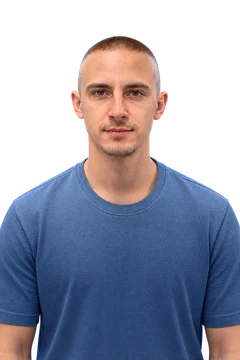 Vladimir Sivenkov · Official RHEI representative
 You are met by your clothes, and on YouTube by the video’s thumbnail. The main problem of all neural-network generators (like Midjourney) is that they constantly “drift.” As soon as you ask for a different emotion, you get a similar but different person. The face changes, identity is lost and the viewer doesn’t recognize the creator.
In this article we look at the Getmade tool, which solves this problem 100%, and compare its capabilities with the classic approach to graphics.
The Main Fear: Does Getmade Change the Face?
The short answer is no, it doesn’t. The neural network preserves a person’s absolute identity.
Its main feature is different: it can take your real face and convincingly apply any emotion you need to it, from deep surprise to fury. And you remain yourself.
Personal Experience and Cases
This tool isn’t just another toy from review roundups but a working business tool.
- Case: sivenkov.media. I use Getmade myself to create thumbnails for my videos. I don’t need to hold hour-long photo sessions, making faces at the camera to catch the right grimace. I take a base photo, and Getmade generates me with the right emotions for the topic of a specific video.
And How Did People Create This Before? (The Traditional Approach vs Getmade)
To understand why Getmade changes the rules of the game, let’s look at what the process of creating emotions and animating a character “the old way” usually looks like:
- For a live creator:
- You need to set up lighting and a camera and take 50–100 shots with different facial expressions.
- Then a designer cuts you out in Photoshop, applies color correction and removes defects.
- Downsides: it takes long, it’s hard to produce a sincere emotion on camera on demand, and the angles are limited.
- For an animated character (2D/3D):
- Developing an emotion pack (expression sheet): an artist manually draws the character from the front, the side and three-quarters, and then draws the emotion maps (joy, sadness, anger). This takes weeks.
- Rigging (for 3D or Live2D): a virtual “skeleton” of the character is created. Each facial detail (eyebrows, lips, eyes) is bound to control points so the animator can move them.
- Frame-by-frame animation or motion capture: the animator manually moves sliders on each frame or uses a phone camera that reads their facial expressions and transfers them to the character.
- Downsides: it is insanely expensive and requires hundreds of hours of professional work.
How Does Getmade Do It?
You upload a base image (of yourself or a character) and simply explain with text or a reference what needs to be done. The neural network understands the facial geometry itself and generates the finished result in seconds, preserving identity.
Conclusion
Getmade is a lifesaver for content makers. It saves the budget for designers and hours of work on photo sessions, letting you make clickable, emotional thumbnails and scenes for videos here and now.
To start using Getmade: How to start with Getmade
You can check the finished thumbnail right away with the free YouTube thumbnail tester: how it looks in search and on a phone.